Common Issues
Pickling Error
This page outlines some of the common problems and caveats still present in the current version of scalable. While some of them are being worked on, others may be inherent to dask.
To start with, let’s look at something which we is already used in the Scalable Example Workflow:
@cacheable
def run_stitches(recipe, output_path):
    import stitches
    import dask
    ## The dask config is set to synchronous to avoid any issues.
    with dask.config.set(scheduler="synchronous"):
        outputs = stitches.gridded_stitching(output_path, recipe)
    return outputs
The above code is a simple function that runs stitches. The primary code line which runs sitches is ran under the dask.config.set context manager. The scheduler is set to synchronous in this case. The alternative would’ve been to write this function as:
@cacheable
def run_stitches(recipe, output_path):
    import stitches
    outputs = stitches.gridded_stitching(output_path, recipe)
    return outputs
The above code should’ve worked well. However, the following error is thrown when the function is called with a dask client (scalable):
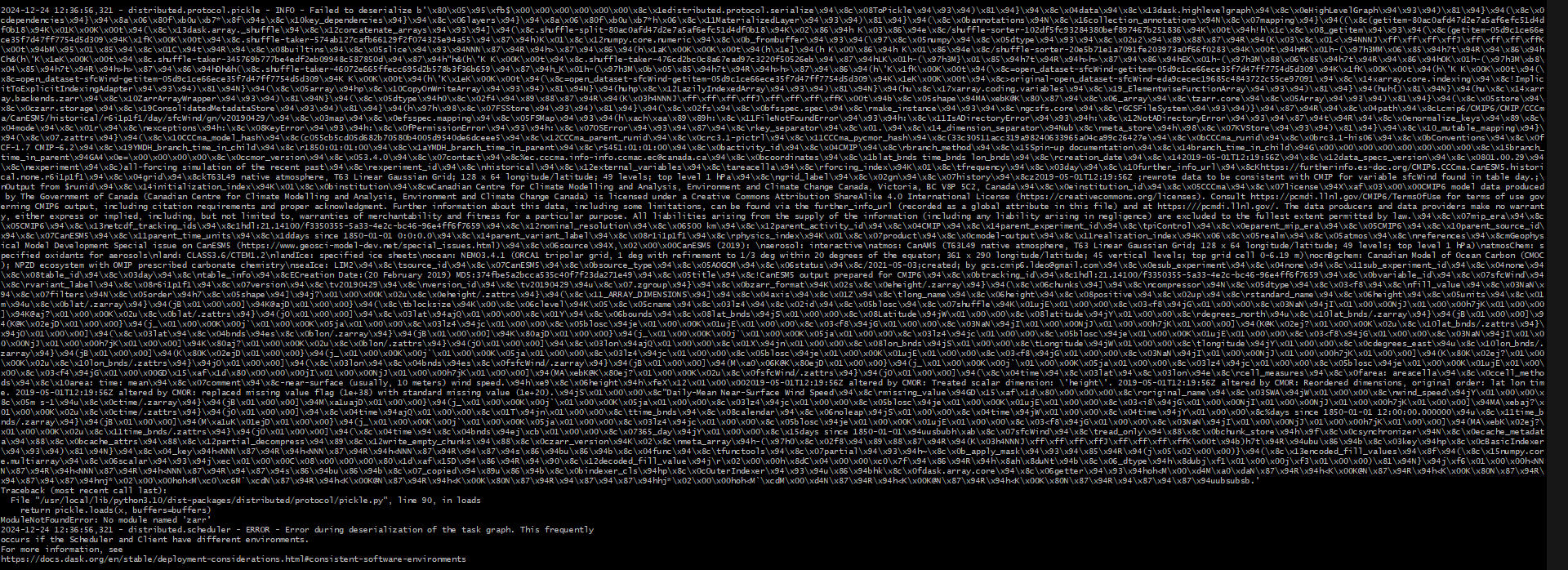
The error thrown above is a pickling error. This happens because dask tries to use multiple different workers to make the dask task graph. However, since our workers have different environments, the run_stitches task cannot be pickled by other workers. Therefore, whenever this issue is encountered, it is recommended to set the scheduler to be “synchronous” which means that it will pickle the task and run it on the same specified worker.
Deadlocks and Stuck Workers
Another issue that can occasionally be encountered is deadlocks. It is possible that a worker can get stuck processing a function forever. This issue is quite subtle to debug as the worker can just genuinely be processing instead of being stuck. The best way to recognize this issue is if the function is taking a lot longer than expected. The most common cause of this issue is a deadlock. And the most common cause of a deadlock is assigning multiple CPUs to a container which is only running functions which use a single CPU. In other words, reserving multiple CPUs for single-threaded functions can cause deadlocks.
When multiple CPUs are assigned to a container in the following way:
cluster.add_container(
    tag="container_tag",
    cpus=2,
    memory="50G",
    dirs={"/path/to/shared/data": "/data", "/path/to/archive/data": "/archive"},
)
The scalable backend assigns a threadpool with 2 threads to any worker with the same tag as the container. However, if the functions running on the worker are single-threaded, there could be two instances of the function assigned to the worker which can occasionally cause a deadlock. To prevent this, please ensure that the correct amount of CPUs are assigned to the container.
General Errors
There can also be just general errors which are either thrown by dask or are manifested in the form of workers which didn’t connect or slurm errors. There are mechanisms within Scalable which should warn about any workers which couldn’t connect for whatever reason. However, as a rule of thumb, restarting the cluster and the workflow is the best way to resolve any one time errors. HPC systems can be unreliable and throw unknown errors sometimes. As always, please feel free to open an issue here for any persistent issues.